Out of 50 employees, a few senior employees get more leaves. Can I assign different leave credits to these employees?
Empxtrack allows you to credit different leave balances to different employees. Follow the steps:
-
Go to Time management >> Leave.
-
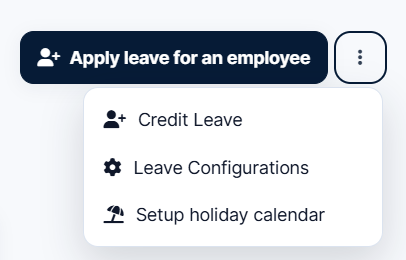
Click the three dots next to Apply leave for an employee.
-
Select Credit leave.
-
Select the required employee(s) and enter the number of leaves you want to credit.
-
Select leave type and input leave count.
-
Click Confirm.