How can I show leave encashment in payslip while processing F&F for an employee?
To show leave encashment details in the payslip, make sure you enable a specific payroll variable in the system. Follow the steps:
-
.
-
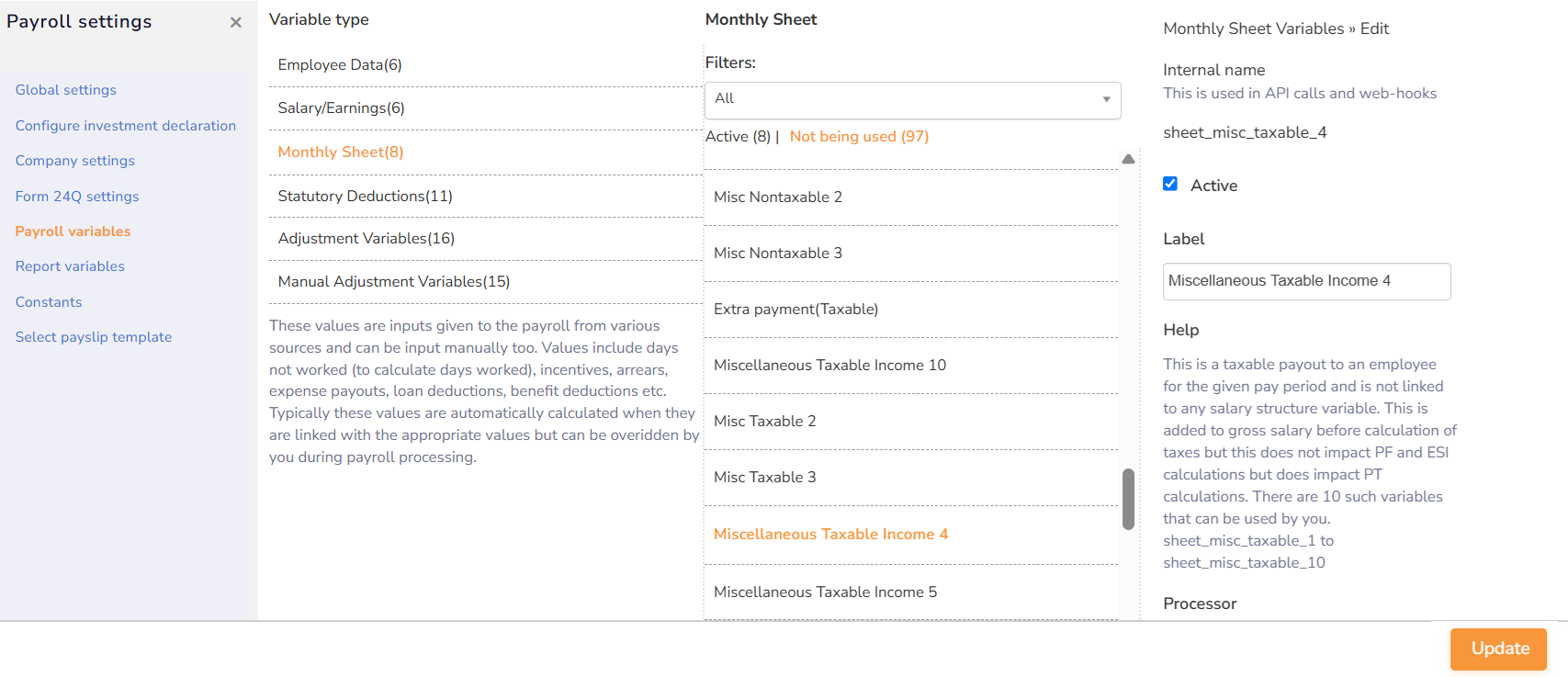
Go toProduct configurations and click on Configure payroll.
Under Payroll settings, click Payroll variables. -
Go to the Monthly sheet section and under Not being used list of variables, select ‘Miscellaneous taxable’ or ‘Misc non taxable’ variable based on your need.
-
Mark it Active.
-
Change the Label if required.
-
Click Update to save the changes.
This will help you to enable a variable for leave encashment, and will reflect in the payslip. Make sure you change the settings before running payroll and carrying out F&F.
Note: Empxtrack enterprise edition offers advanced/custom payslip requirements.