I am not able to view the upcoming payroll period, leave period or appraisal period in the system. How do I define to continue using empxtrack without any issues?
To define time period or financial year, follow these steps:
-
Login to the system as HR manager (enrollee).
-
Go to Product configurations, and then click Global time settings under General settings.
-
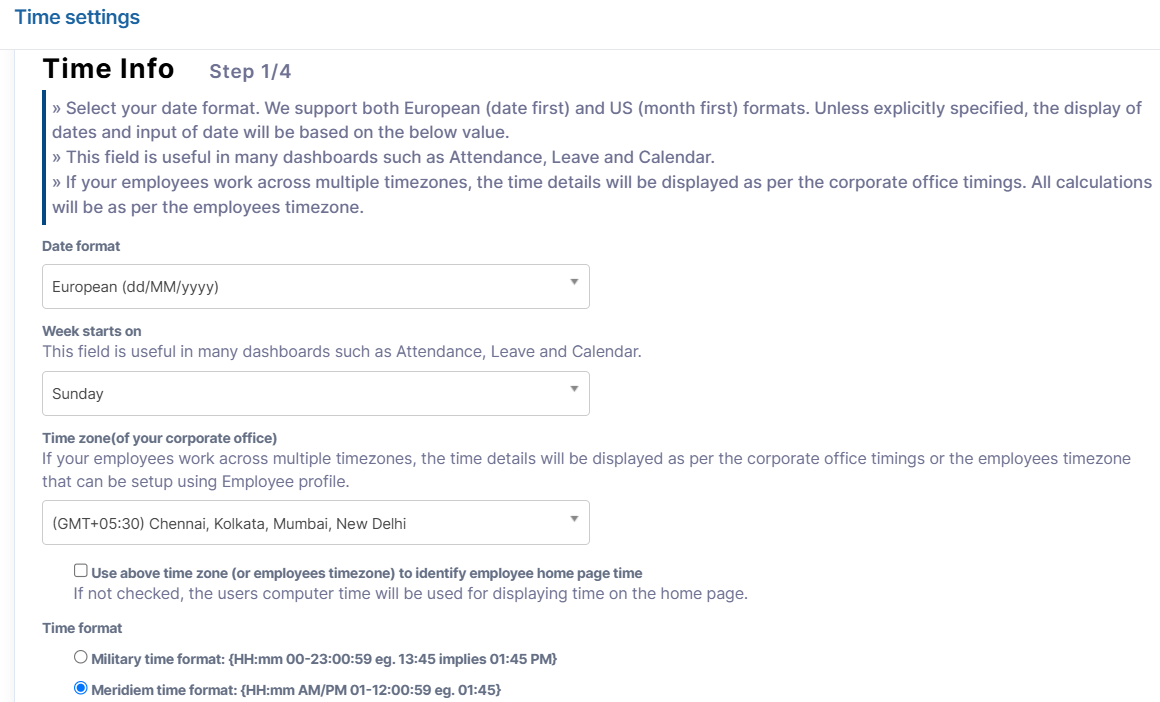
Under Time Information, specify the desired values and click Next.
-
In the Financial year section, by default the option Other is selected, where you can specify the start date and start month for a financial year.
-
In the Time periods section, create time periods in the same way as FY is defined.
-
In the Holiday and leave period section, select one of the options to (Calendar year, Financial year and Time Period). Click Confirm.
The time period and financial year will be defined successfully.