I have processed salaries in empxtrack, and now I am looking for a payroll report with details of amount transferred for PF, ESIC, Basic, HRA and other salary heads. How can I get it?
From the menu, go to Payroll → Payroll Overview. Under Payroll runs, select the required payroll period.
Select the employees for whom you want to generate reports.Click on Reports from the three dots.
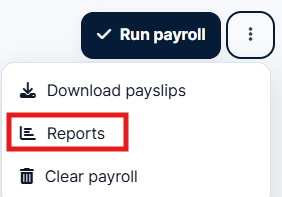
Go to salary register report and click on a preferred format (webpage or spreadsheet). The report will give all the details of the payroll including payouts, monthly variables, deductions, extra payments, arrears etc.
This is the most comprehensive payroll report and can be used to import data into your financial system.