How can I create different rating styles for appraisal forms in empxtrack? Kindly suggest.
Empxtrack allows you to have multiple rating styles in appraisal forms. To configure ratings, follow these steps:
-
Login to the system as HR manager.
-
Go to Product configurations and click Configure appraisal forms under Performance Management. The appraisal forms page appears on the screen.
-
Click Competency form. Go to Rating and comment options and click Manage rating.
-
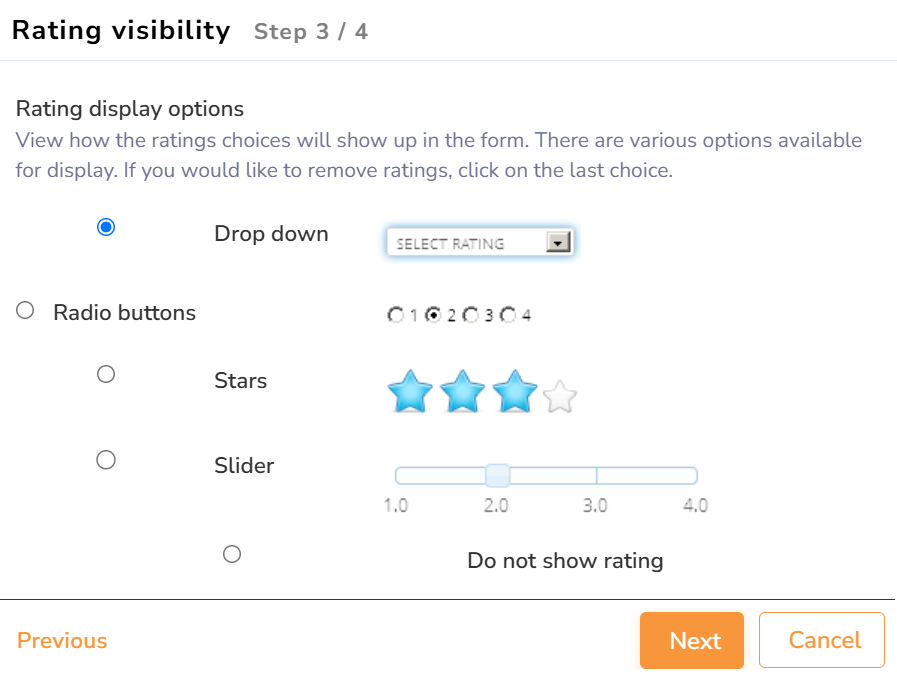
Define rating types and select the rating display option. You can select one of the options - Dropdown, Radio buttons, Stars and Slider. You can also select the option to not show ratings at all.
-
Save the changes.