I added 14 employees in the system without assigning their managers and subordinates. How can I set up reporting relationships for them, without needing to do it individually for each employee?
To add reporting relationships of multiple employees at once, follow these steps:
-
Click Product configurations.
-
On the Settings page, click on the Reporting relationships under Upload data.
-
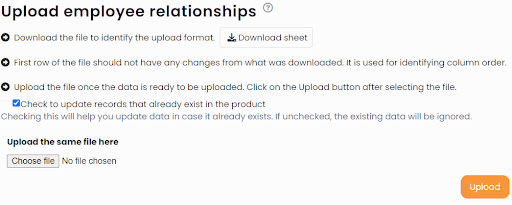
Download the file to get the format for the columns. Enter data in the specified format and Upload the file.
-
Check and verify the uploaded data before it is updated on the database.
-
The reporting relationships will be displayed in the employee profile successfully.
Note - The process is irreversible. Once the data is updated, you cannot reverse the changes.