I am using the free version of Empxtrack exit management. I have marked an employee exited from the system. How can I make this person active again in the portal?
You can make the person active again in the portal. Under Manage exit, click on the Rejoin employee link next to the exited employee name.
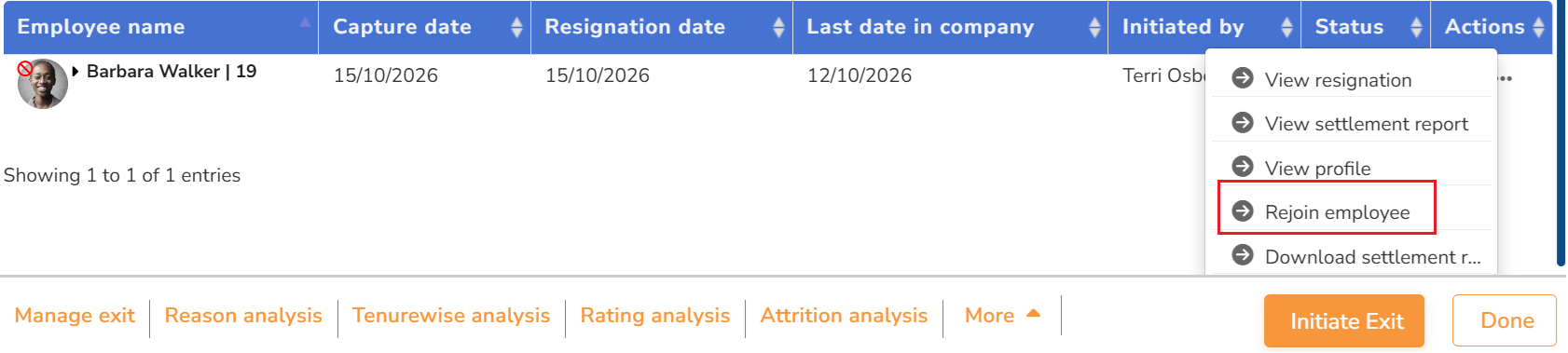
Note: The above steps are of Empxtrack Enterprise paid version, that gives you the option to rejoin the exited employee. In the Free Plan, you will need to add the employee again by clicking on the Add an employee button.