How can I figure out why an employee’s attendance in Empxtrack shows 30 days instead of 31?
If you notice discrepancy in the attendance data, make sure you check effective days worked captured in the attendance calendar.
Follow the steps:
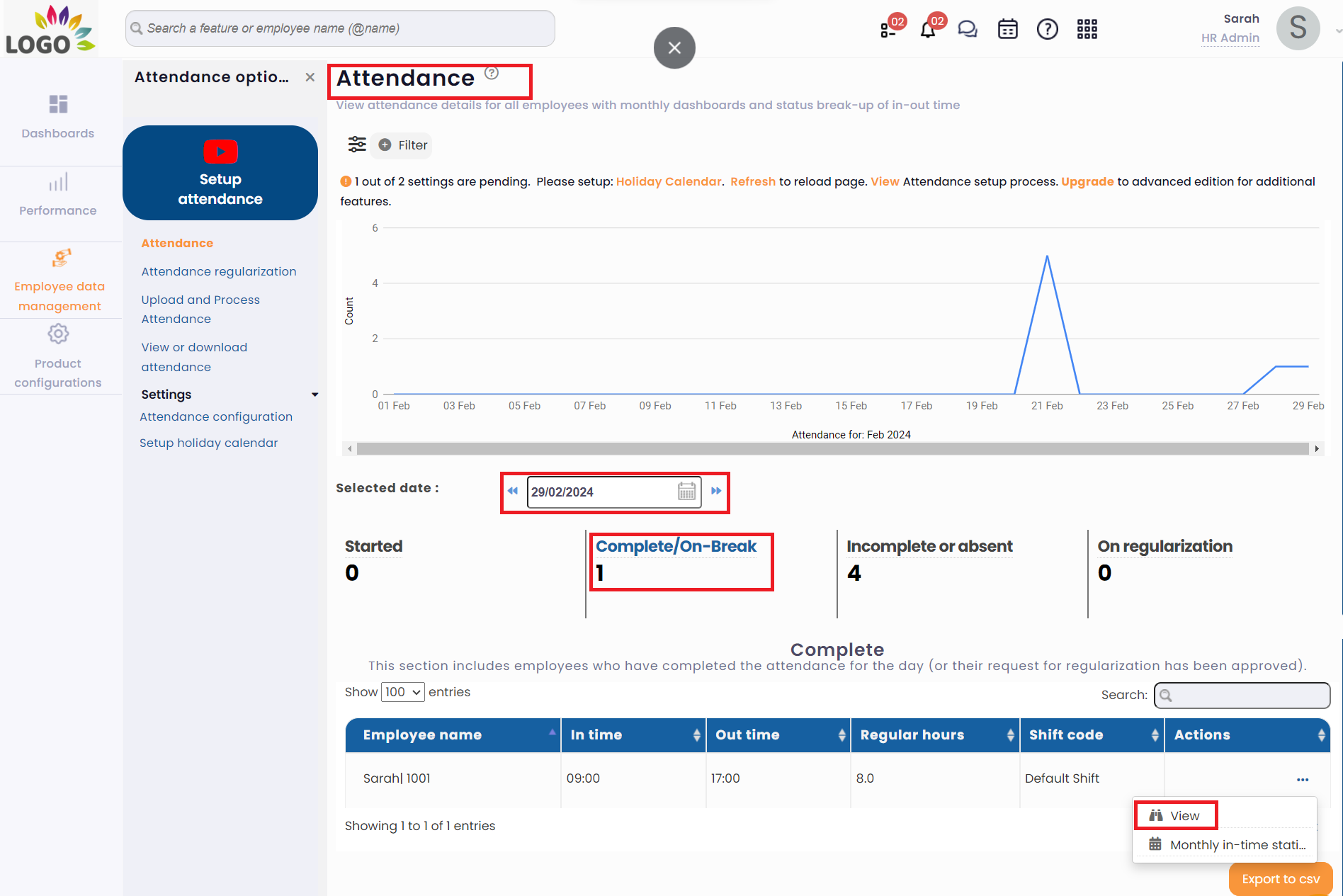
Go to the Attendance widget and view attendance in full page.
On the Attendance page that appears, go to a specific date and click View corresponding to the employee name whose attendance data you want to analyze.
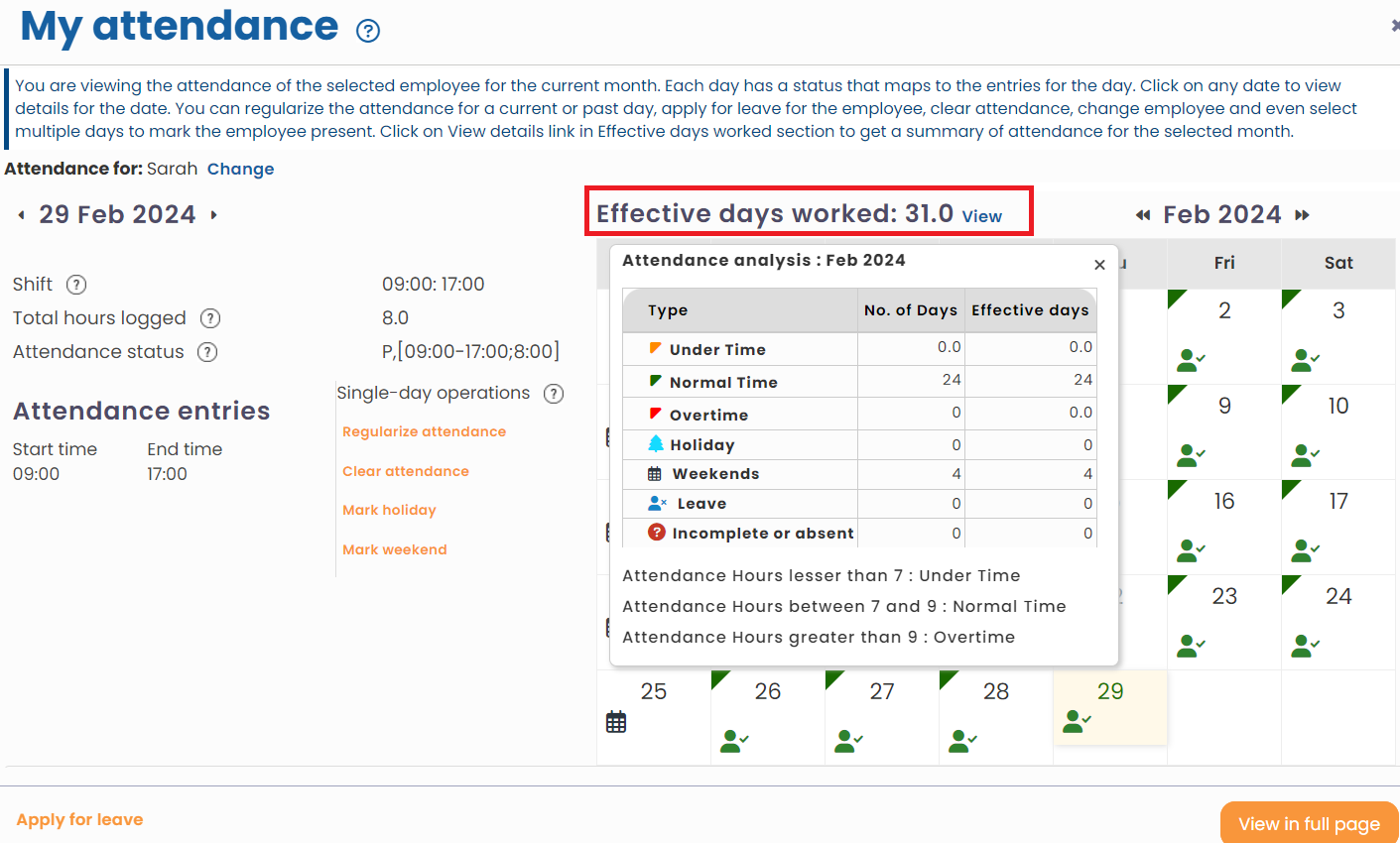
In the Monthly Attendance Calendar, click View to check Effective days worked. It gives a summary of days when an employee worked for short hours, overtime, normal hours, and also displays leave, holidays, incomplete/ absent status of the employee.
This data will help you identify discrepancy in attendance records. In case, if an employee missed applying for leave or regularizing attendance, then corrective action can be taken accordingly.
Note: The above functionality is available in the enterprise version.