Where can I access payroll reports in Empxtrack?
Follow these steps:
From the menu, go to Payroll → Payroll Overview.
Under Payroll runs, click View against the required pay period.
Select the employees whose payroll has been processed.
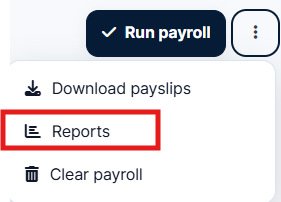
Click the three-dots against Run payroll and select Reports.