What is the process for crediting leave to employees?
You can credit leave to an employee by following these steps:
-
Go to Time management >> Leave.
-
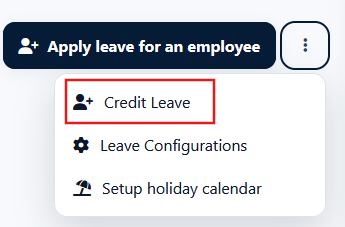
Click the three dots next to Apply leave for an employee.
-
Select Credit leave.
-
Select the required employee(s) and enter the number of leaves you want to credit.
-
Click Confirm.
1 Like