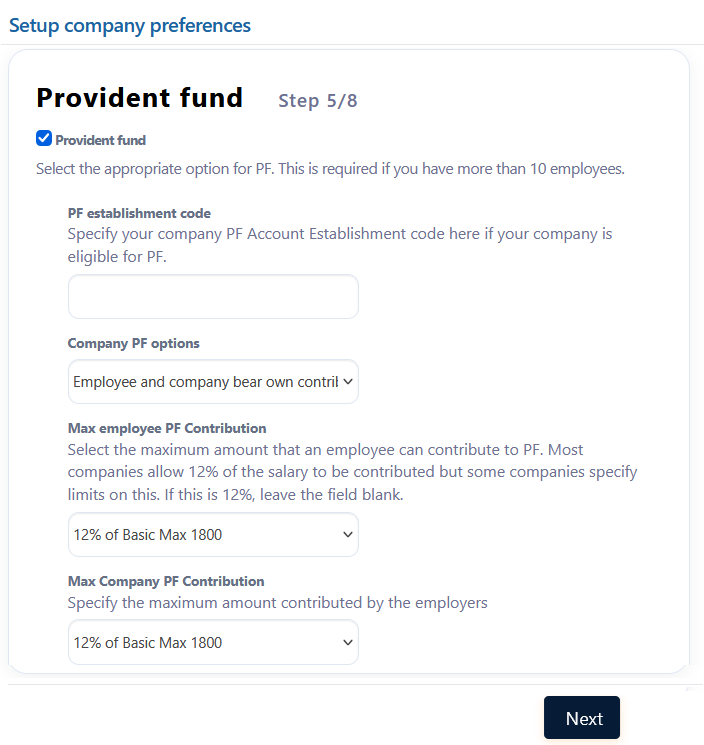
I want to give 12% of the gross salary (max upto 1800) as provident fund (PF). How can I add this option?
Sonika
2
To setup PF rules in Empxtrack, follow the steps:
-
From the menu, go to Run payroll→Payroll overview.
-
Click on Company Preferences and go to the Provident fund section.
-
Select the options for Max employee PF contribution and Max company PF contribution.
-
Click Confirm to save the changes.