Statutory deductions are not showing up while processing payroll. How to enable them for company and for employees?
To configure statutory deductions, first review the company payroll preferences.
-
From the menu, go to Payroll → Payroll Overview.
-
Under Quick actions, click Company preferences.
-
Enter the required company details and select the deductions applicable to your company.
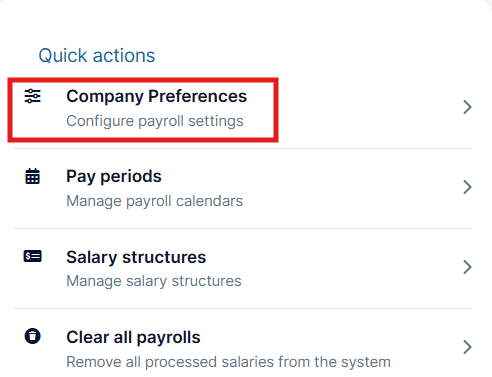
The selected statutory deductions will show in different salary structures. You can also modify these. To edit a salary structure:
-
On the Payroll Overview page, go to Quick actions → Salary structures.
-
Click the three-dots for the applicable salary structure and select Edit.
-
Review the earnings and statutory deduction settings available for that structure.
-
Click Save and close.
Employee-specific statutory deductions
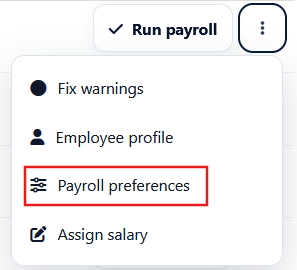
Company payroll preferences can be overridden for individual employees through their Payroll preferences. For example, in GCC countries, statutory contributions may differ for citizens and expatriate employees based on local requirements. In India, deductions such as ESIC apply only to eligible employees based on the applicable statutory criteria.
To edit employee payroll preferences, follow these steps:
-
Payroll Overview → Payroll runs
-
Click View against the required pay period.
-
Select the employee and click on Payroll preferences from the three dots.
-
Update the details and Confirm.
2 Likes