I use Empxtrack to manually credit leaves to employees but unable to do it. What could be wrong?
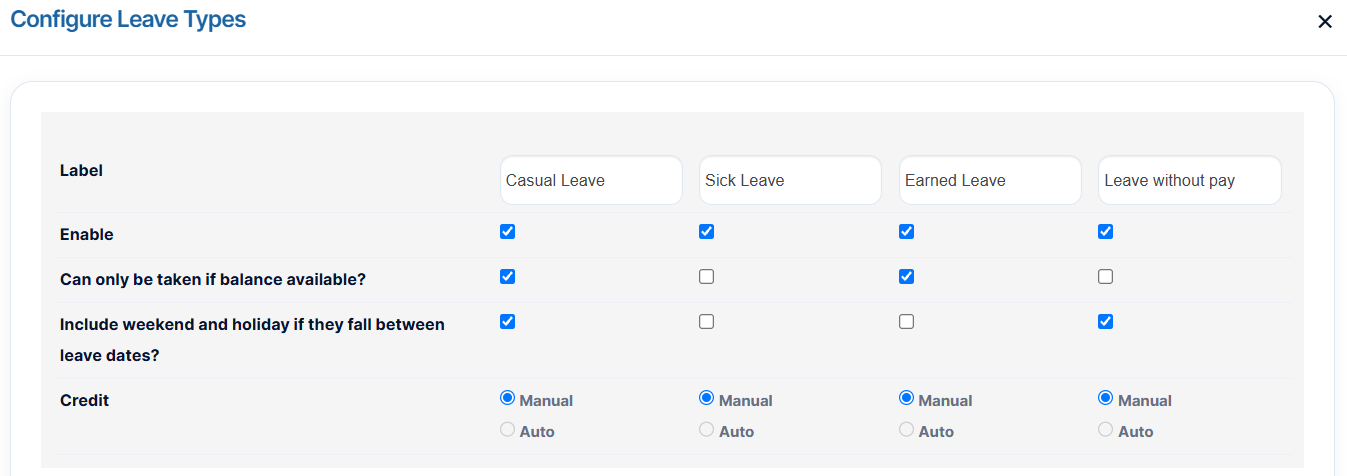
We recommend you to check the leave credit mechanism set up in the system. Make sure it is set as manual (not Auto).
Follow the steps:
1. From the menu, go to Time management → Leave
2. Click on the three-dots next to Apply leave for an employee.
2. Click on Leave configurations.Multiple fields will show.
3. Select Manual or Auto in the Credit field.
Note: Only Manual option is enabled in the free version. Upgrade the plan to select Auto leave credit.