What does the Masquerade option do and when is it useful?
Masquerade allows the registered Empxtrack user with HR Manager rights to access the application as a selected employee and perform permitted actions on their behalf.
To use Masquerade:
-
From the menu, go to People.
-
Locate the required employee in the Employees list.
-
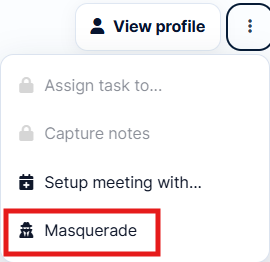
Click the three-dot menu under Actions for that employee.
-
Click Masquerade.
-
Empxtrack will switch to the selected employee’s workspace, allowing you to perform permitted actions on their behalf.
-
Once done, click on the masqueraded link on top and you will be logged back into your own account.
2 Likes